

반응형
여기에서는 Keyboard Container에 Line 1,2,3 배열정리를 하고 Line 3에 있섰던 Backspace Key를
Main Canvas 함께 모은다.
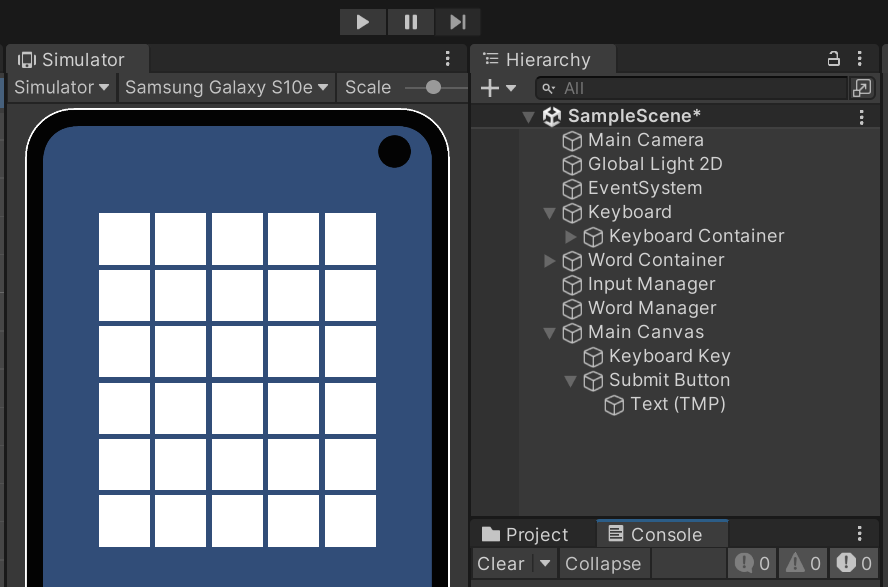
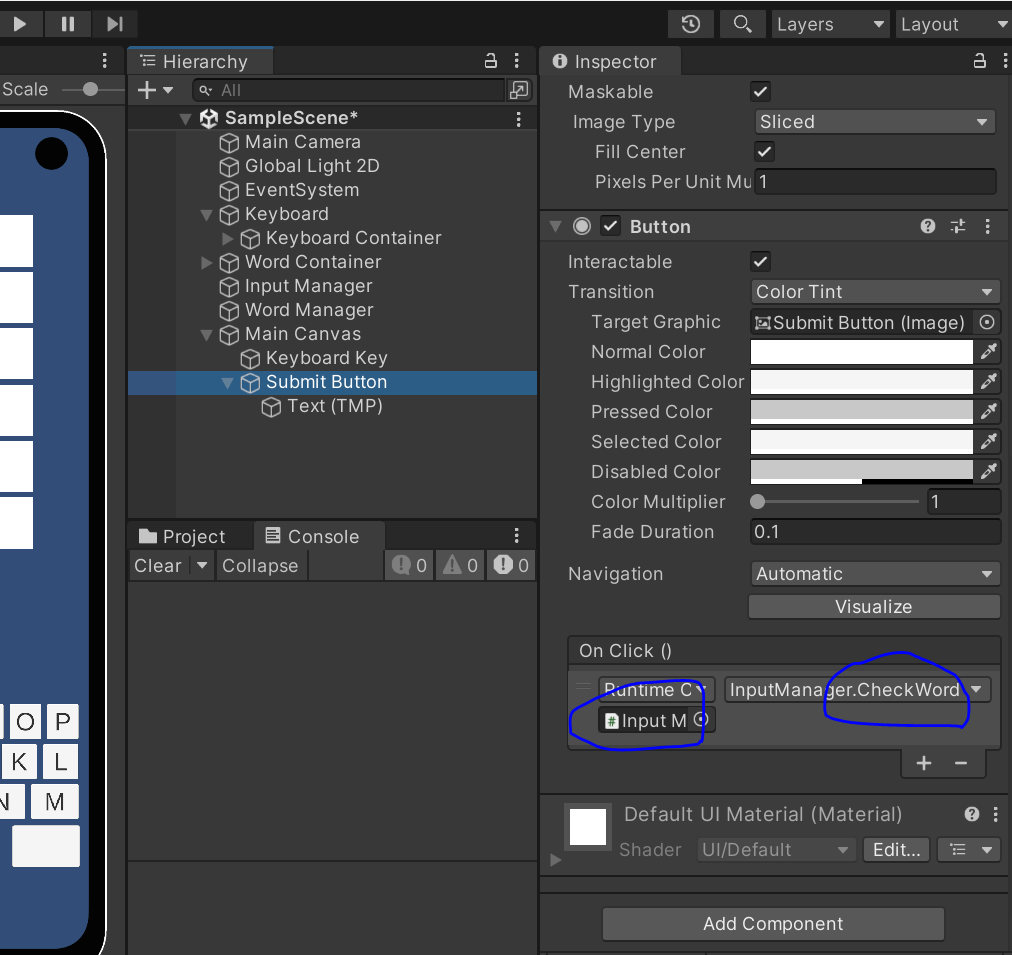
모두 작업을 완료하고 나면 InputManager.cs 에서
private을 [public]으로 바꾼다. void CheckWord()그런 다음
private void KeyPressedCallback(char letter)
{
    if (!canAddLetter)
        return;

    wordContainers[currentWordContainerIndex].Add(letter);

    if (wordContainers[currentWordContainerIndex].IsComplete())
    {
        canAddLetter = false;

        CheckWord();
        //CheckWord(); 스키마 해 준다.
        //currentWordContainerIndex++;
    }
}
최종 테스트를 한 후 종료한다.
InputManager.cs
public class InputManager : MonoBehaviour
{
    [Header("Elements")]
    [SerializeField] private WordContainer[] wordContainers;

    [Header("Settings")]
    private int currentWordContainerIndex;
    private bool canAddLetter = true; ------>코드 추가작업을 한다.
private void KeyPressedCallback(char letter)
{
if (!canAddLetter)---->추가
return;---->추가
wordContainers[currentWordContainerIndex].Add(letter);
if (wordContainers[currentWordContainerIndex].IsComplete())
{
canAddLetter = false;---->추가
//CheckWord();
//currentWordContainerIndex++;
}
}
{
string wordToCheck = wordContainers[currentWordContainerIndex].GetWord();
string secretWord = WordManager.instance.GetSecretWord();
if (wordToCheck == secretWord)
Debug.Log("Level Complete");
else
{
Debug.Log("Wrong word");
currentWordContainerIndex++;----->기존 제거한다.
canAddLetter = true;----->추가 해준다.
currentWordContainerIndex++;----->추가 해준다.
}
}
InputManager.cs
public class InputManager : MonoBehaviour
{
    [Header("Elements")]
    [SerializeField] private WordContainer[] wordContainers;
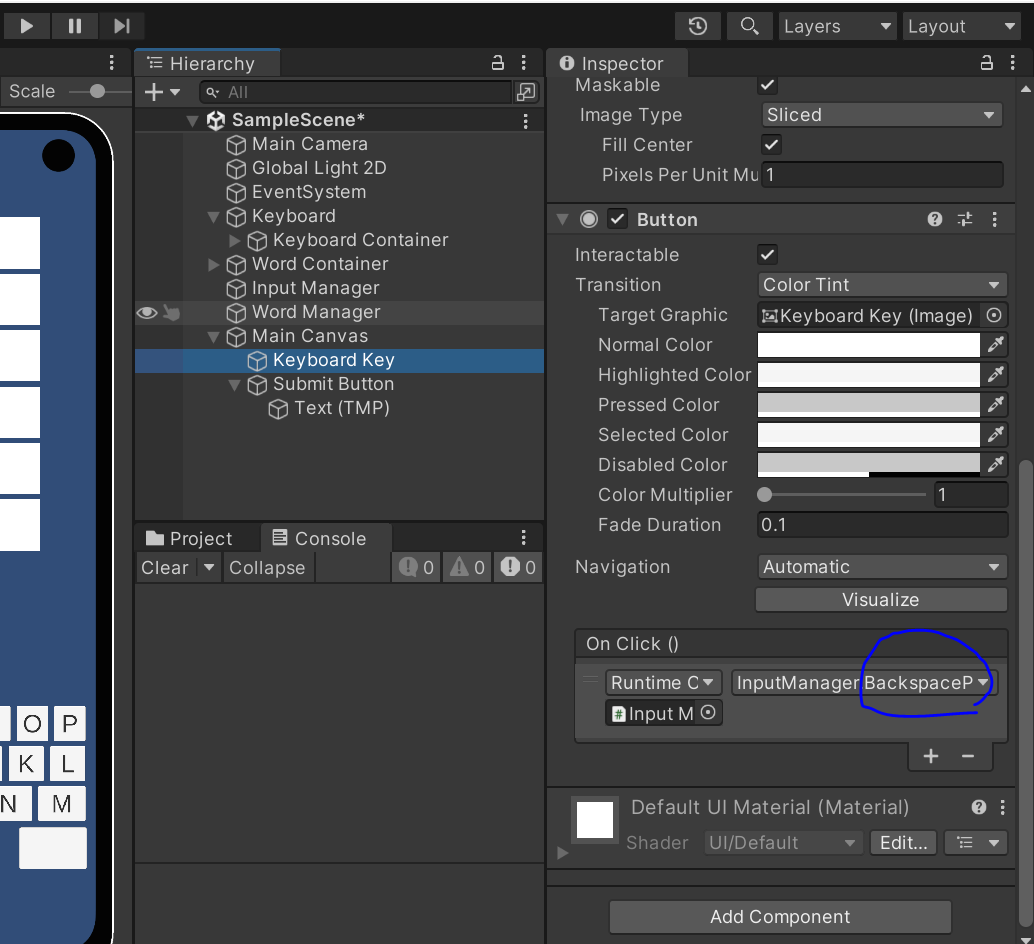
    [SerializeField] private Button tryButton;----->추가

    [Header("Settings")]
    private int currentWordContainerIndex;
    private bool canAddLetter = true;


    private void KeyPressedCallback(char letter)
{
    if (!canAddLetter)
        return;

    wordContainers[currentWordContainerIndex].Add(letter);

    if (wordContainers[currentWordContainerIndex].IsComplete())
    {
        canAddLetter = false;
        EnableTryButton();----->추가

        //CheckWord();
        //currentWordContainerIndex++;
    }
}


 public void CheckWord()
 {
     string wordToCheck = wordContainers[currentWordContainerIndex].GetWord();
     string secretWord = WordManager.instance.GetSecretWord();

     if (wordToCheck == secretWord)
         Debug.Log("Level Complete");
     else
     {
         Debug.Log("Wrong word");

         canAddLetter = true;
         DisableTryButton();------>추가
         currentWordContainerIndex++;
     }
 }


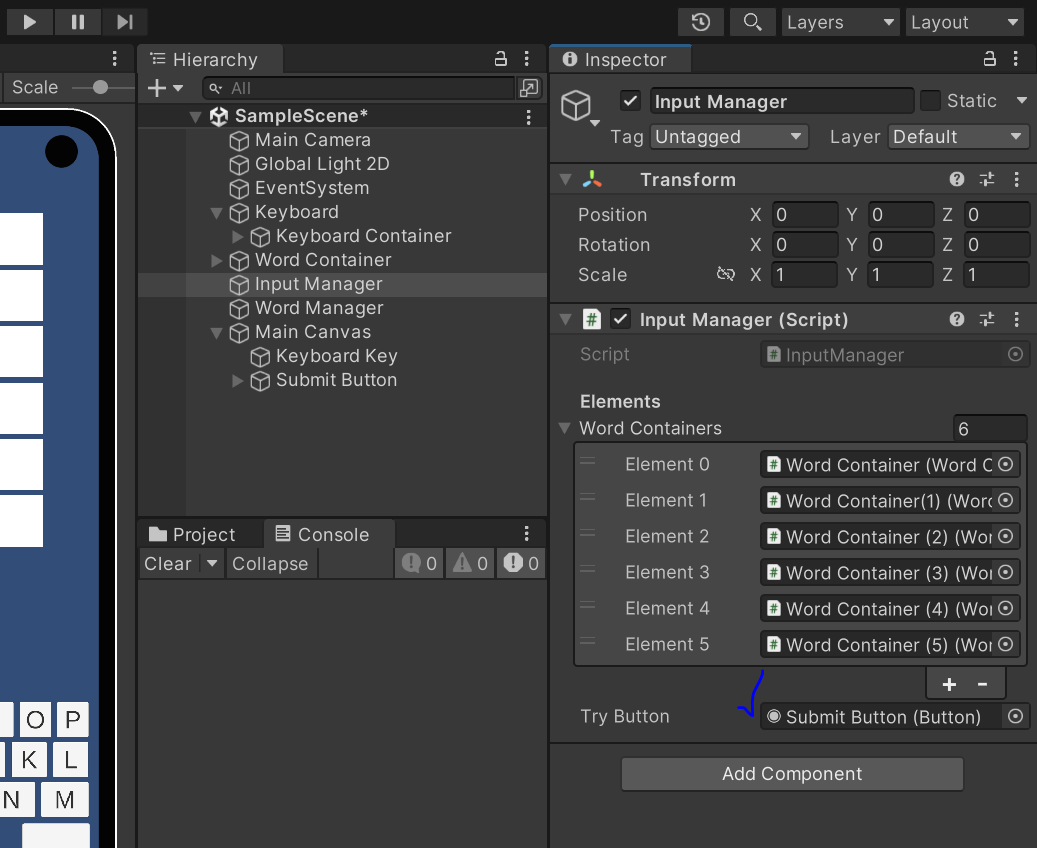
public void BackspacePressedCallback()-----기존
{
	wordContainers[currentWordContainerIndex].RemoveLetter();-----기존
	canAddLetter = true;-----기존
}


 public void BackspacePressedCallback()-----변경 후
{
    bool RemovedLetter = wordContainers[currentWordContainerIndex].RemoveLetter();-----변경 후

    if (!RemovedLetter)-----변경 후
        DisableTryButton();-----변경 후

    canAddLetter = true;
}


 private void EnableTryButton()----->추가
{
    tryButton.interactable = true;----->추가
}

private void DisableTryButton()----->추가
{
    tryButton.interactable = false;----->추가
}
WordContainer.cs
using System.Collections;
using System.Collections.Generic;
using UnityEngine;

public class WordContainer : MonoBehaviour
{
    [Header("Elements ")]
    private LetterContainer[] letterContainers;

    [Header("Settings")]
    private int currentLetterIndex;

    private void Awake()
    {
        letterContainers = GetComponentsInChildren<LetterContainer>();
        //Initialize();
    }
    // Start is called before the first frame update
    void Start()
    {

    }

    // Update is called once per frame
    void Update()
    {

    }

    public void Initialize()
    {
        for (int i = 0; i < letterContainers.Length; i++)
            letterContainers[i].Initialize();
    }

    public void Add(char letter)
    {
        letterContainers[currentLetterIndex].SetLetter(letter);
        currentLetterIndex++;
    }

    public void [bool]변경 RemoveLetter()
    {
        if (currentLetterIndex <= 0)
            return [false]추가;

        currentLetterIndex--;
        letterContainers[currentLetterIndex].Initialize();

        return true;
    }

    public string GetWord()
    {
        string word = "";

        for (int i = 0; i < letterContainers.Length; i++)
            word += letterContainers[i].GetLetter().ToString();

        return word;
    }

    public bool IsComplete()
    {
        return currentLetterIndex >= 5;
    }
}
반응형
'IT > programming' 카테고리의 다른 글
| Keyboard Colorize 코드작업 (0) | 2025.06.19 |
|---|---|
| Background, Submit Button, KeyboardKey 9-Slice , Shadow (0) | 2025.06.19 |
| WordContainer, InputManager, WordManager 까지 코드정리 (0) | 2025.06.18 |
| 끄투 게임 서버 쉽게 만들기 (0) | 2025.05.19 |
| fdisk 볼륨확장 비활성시 diskpart로 문제 해결 (0) | 2025.05.05 |